




Create engaging training videos in 160+ languages.
AI is reshaping how learning and development teams design and scale training.
As adoption accelerates, the question has shifted from whether to use AI to how to apply it so training actually changes behavior.
How is AI used in training and development?
87% of L&D teams are using AI, according to our 2026 AI in Learning & Development Report.
Survey question: “I feel comfortable using AI in my L&D work.”
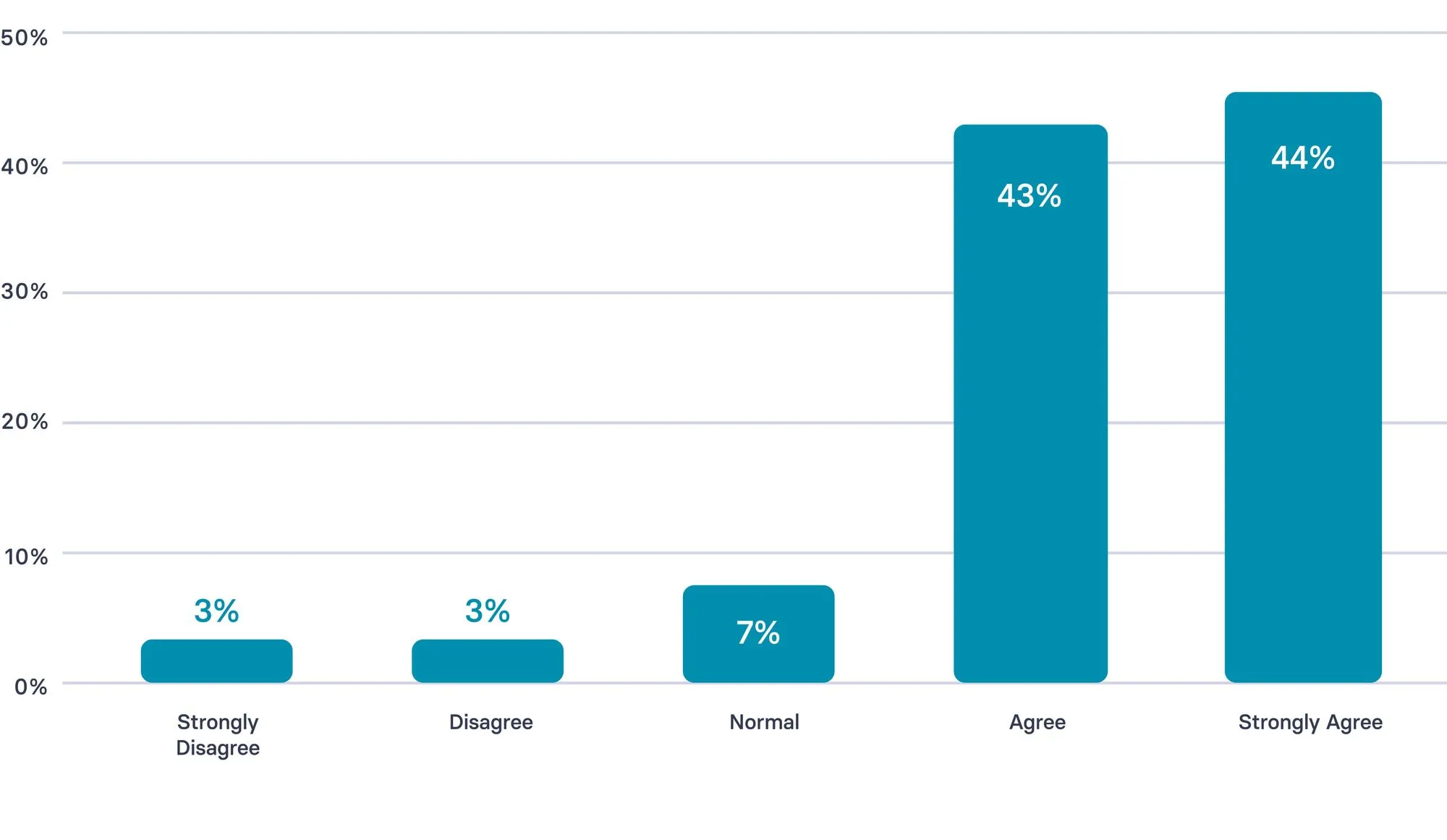
Most use today is concentrated in content design and development, which explains why speed is often the first benefit teams see.
Across the learning workflow, AI also supports practice, feedback, and reinforcement closer to real work.
Here are the most common ways AI is applied across L&D:
- Design and development: Draft scripts, quizzes, and learning assets; iterate faster with SMEs and IDs in the loop.
- Video and localization: Create training videos; maintain consistent delivery across roles, regions, and languages.
- Practice and feedback: Generate scenarios, role-play prompts, and coaching guides; shorten feedback loops after real interactions.
- Reinforcement and access: Deliver short refreshers and job aids; help learners revisit key behaviors when they need them.
- Measurement and iteration: Surface patterns in performance signals; use early indicators to decide what to update next.
How can you implement AI in your L&D strategy?
Most L&D teams are already using AI in some form.
Even so, it’s worth stepping back and assessing your approach as a system: where AI shows up in the workflow, who owns quality, and how you’ll know it’s improving performance.
A short strategy reset helps teams turn scattered experimentation into a repeatable way of working. Teams that embed AI successfully tend to follow a few consistent patterns:
- Start hands-on with low-risk tasks: Use AI for drafting scripts, updating existing content, or localization so teams build confidence through real work.
- Make value visible early: Prioritize use cases with obvious impact, such as video creation and localization, to build momentum and buy-in.
- Anchor AI to real L&D constraints: Apply AI where bottlenecks are clear, such as slow content updates, inconsistent delivery across regions, or limited reinforcement after training.
- Set boundaries and ownership upfront: Define what AI supports and what remains human-led, including learning design decisions, performance standards, and ethical judgment.
What are the key use cases for AI in training?
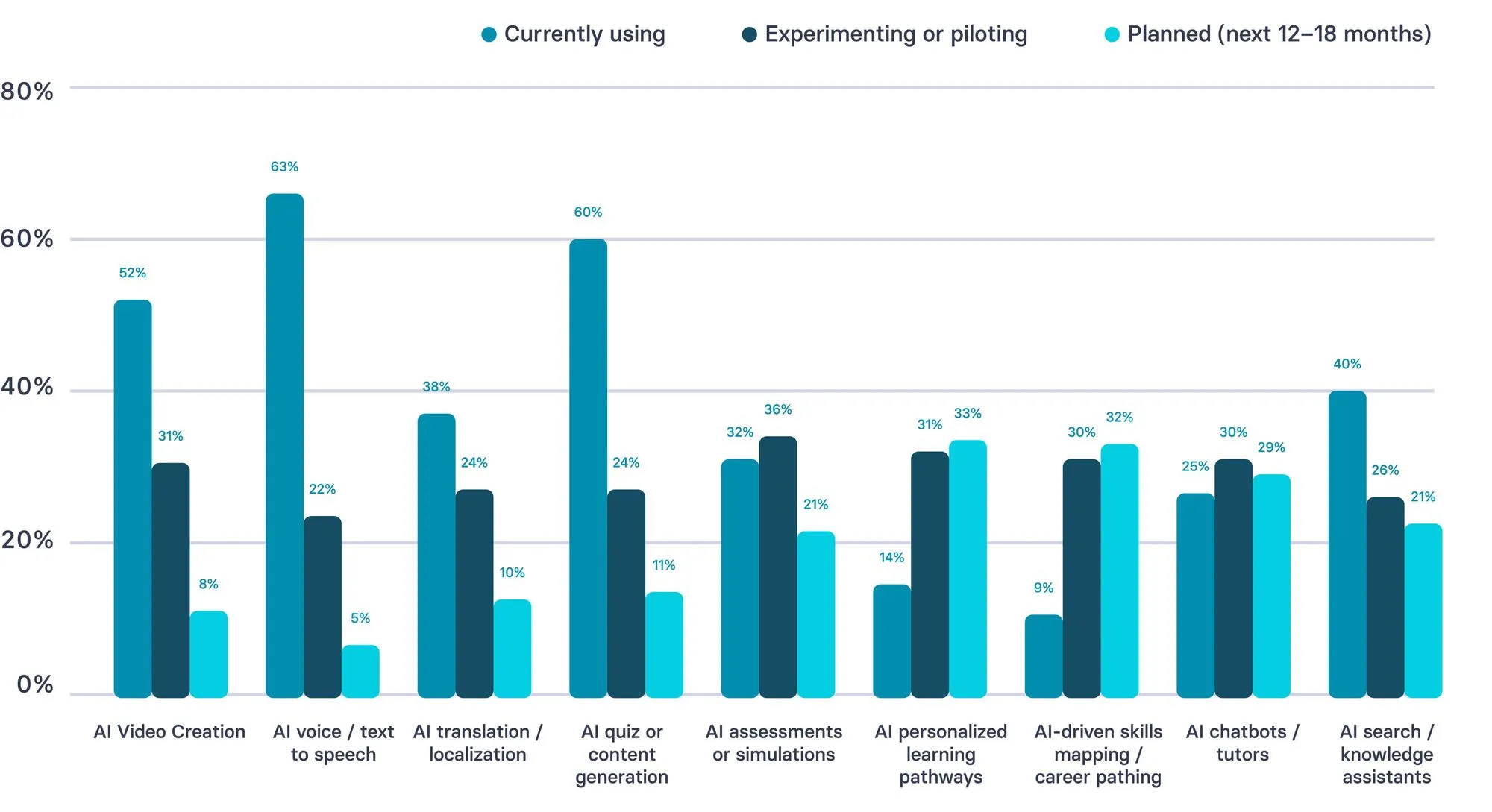
AI use in L&D is strongest in content production workflows today, while more advanced applications are still emerging.
Most teams are already using AI for video creation, voice/text-to-speech, and content generation, showing adoption is concentrated in scalable production tasks.
In contrast, areas like personalized learning, skills mapping, and career pathing skew more toward piloting or planned use — suggesting the field is still building capability and confidence in higher-complexity, impact-driven use cases.
How is your team using (or planning to use) AI in L&D?
AI can support many parts of training, but teams typically see the fastest momentum when they start with a small set of high-frequency workflows tied to real moments of performance. The most effective use cases make learning easier to sustain over time and tend to fall into a few repeatable patterns:
- Onboarding that stays consistent as teams scale: Deliver role-ready onboarding that is easy to update, localize, and keep consistent across managers, regions, and cohorts.
- Customer service training built around real scenarios: Turn recurring ticket and call patterns into practice-ready scenarios, coaching prompts, and short refreshers that agents can revisit between shifts.
- Sales enablement that reinforces core behaviors between calls: Support discovery, objection handling, and talk tracks with short practice prompts, manager coaching guides, and reinforcement that lands close to live conversations.
- Compliance and policy updates without full rebuilds: Update training quickly when requirements change, maintain version control, and roll out localized variants without restarting production from scratch.
- SOP and operational training that reduces errors: Convert processes into short, repeatable guidance that teams can reference at the moment of need, especially in high-variance environments.
- Manager coaching support that standardizes feedback: Provide consistent coaching checklists, observation prompts, and feedback structures so managers reinforce the same standards across teams.
- Knowledge access and reinforcement in the flow of work: Help employees quickly find the right guidance, refresh critical steps, and revisit key decisions without interrupting work.
After you’ve set the approach, tools should follow the workflow.
Select tools that strengthen what you already run, improve consistency, and make governed iteration easier over time.
What are the best AI Tools for L&D?
1. Synthesia
L&D use case: Creating engaging training videos quickly.
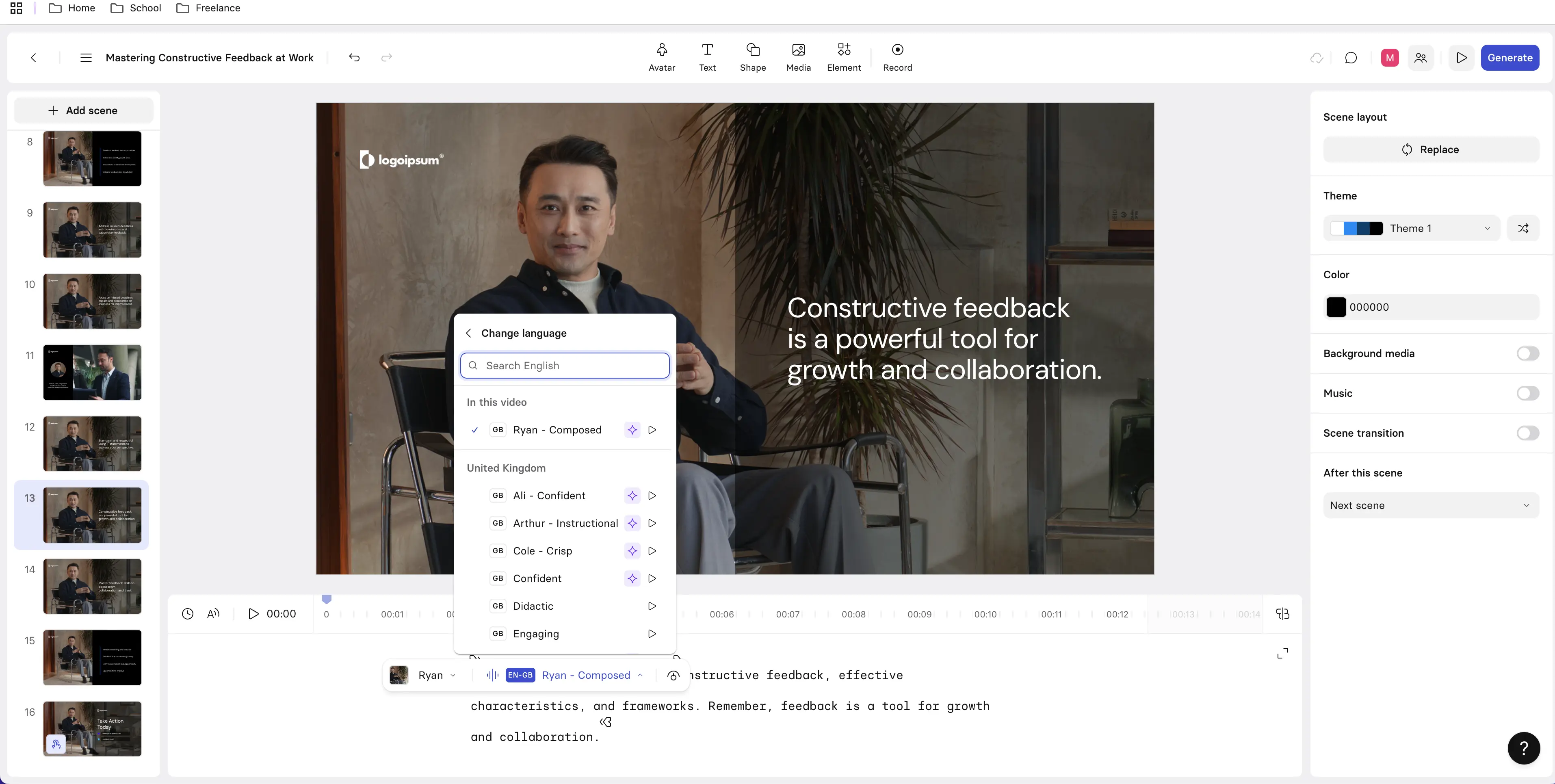
Synthesia turns written training content into presenter-led videos without traditional production workflows. It’s especially useful once objectives and structure are defined, giving teams a fast way to produce onboarding, internal communications, and frequently updated training at scale.
It works well for clarity-driven programs and branching or assessment-based interactive learning. It’s less suited to complex scenario simulations or highly customized visual storytelling requiring detailed animation or bespoke graphics.
2. Mindsmith AI
L&D use case: Planning and structuring courses.
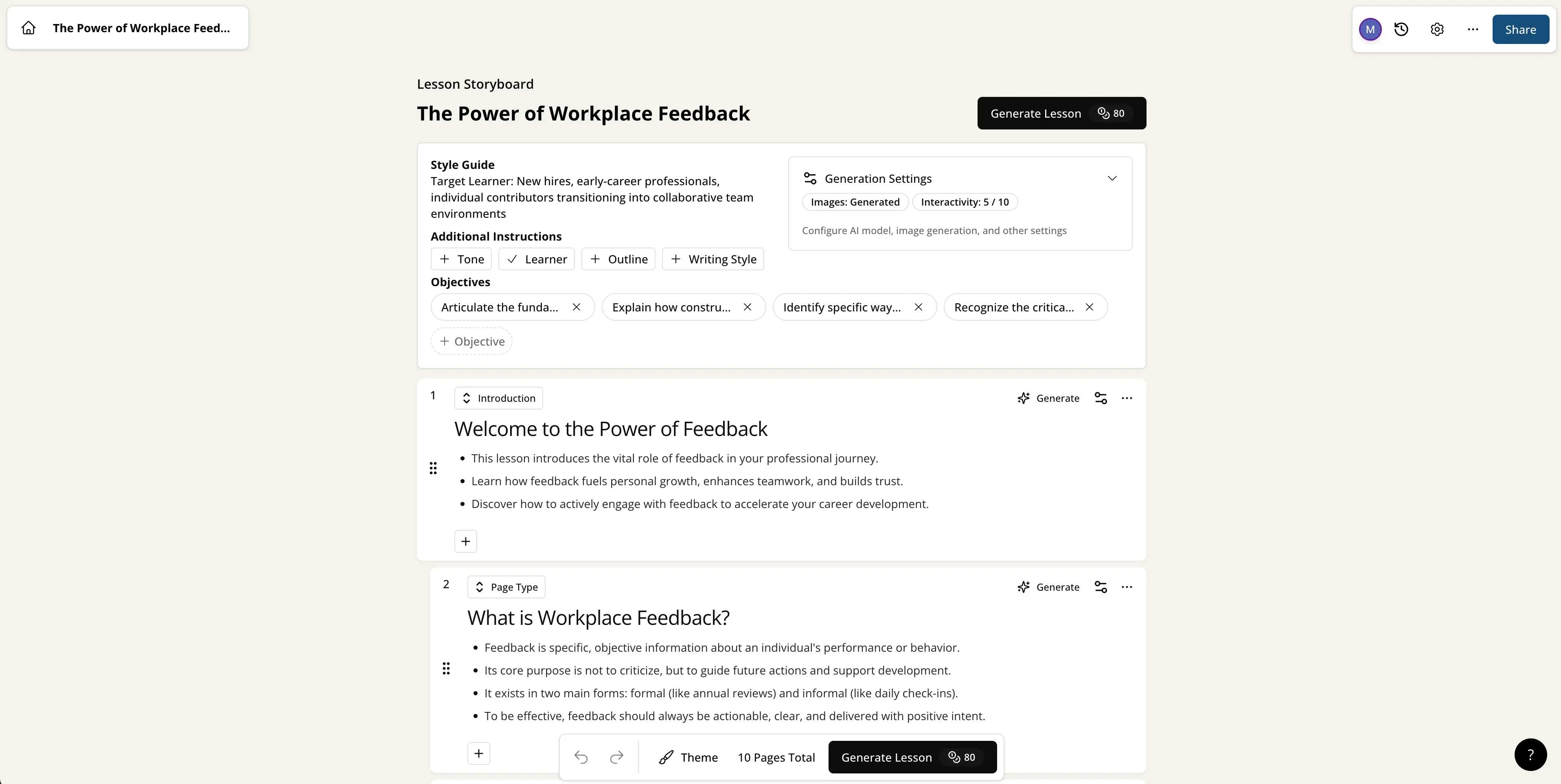
Mindsmith AI focuses on early-stage course design, generating objectives, modules, and activities from a clear brief or source material. It helps instructional designers move quickly from analysis into a structured first draft while maintaining alignment.
It works best upstream in the workflow and is flexible to refine, but it doesn’t handle media production, delivery, or highly interactive learning on its own.
3. Coursebox AI
L&D use case: Building full draft courses fast.
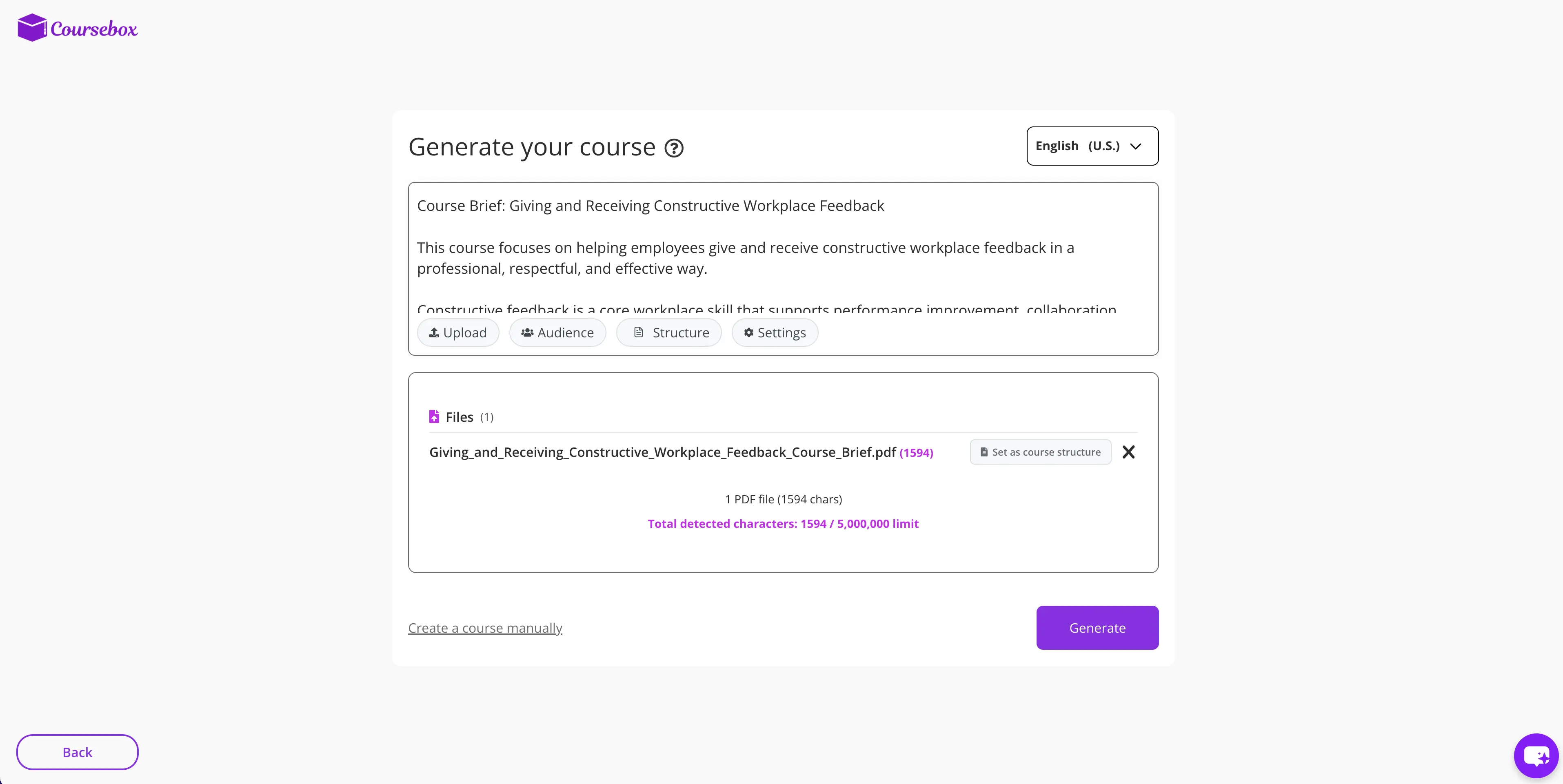
Coursebox AI generates complete online courses—including lessons and quizzes—from a prompt or uploaded content. It’s especially useful for quickly producing full draft courses for internal training or pilots.
Because much of the structure is automated, it leaves less room for refining pacing and strategy, making it better as a starting point than a final solution for complex programs.
4. Scribe
L&D use case: Making step-by-step job aids.
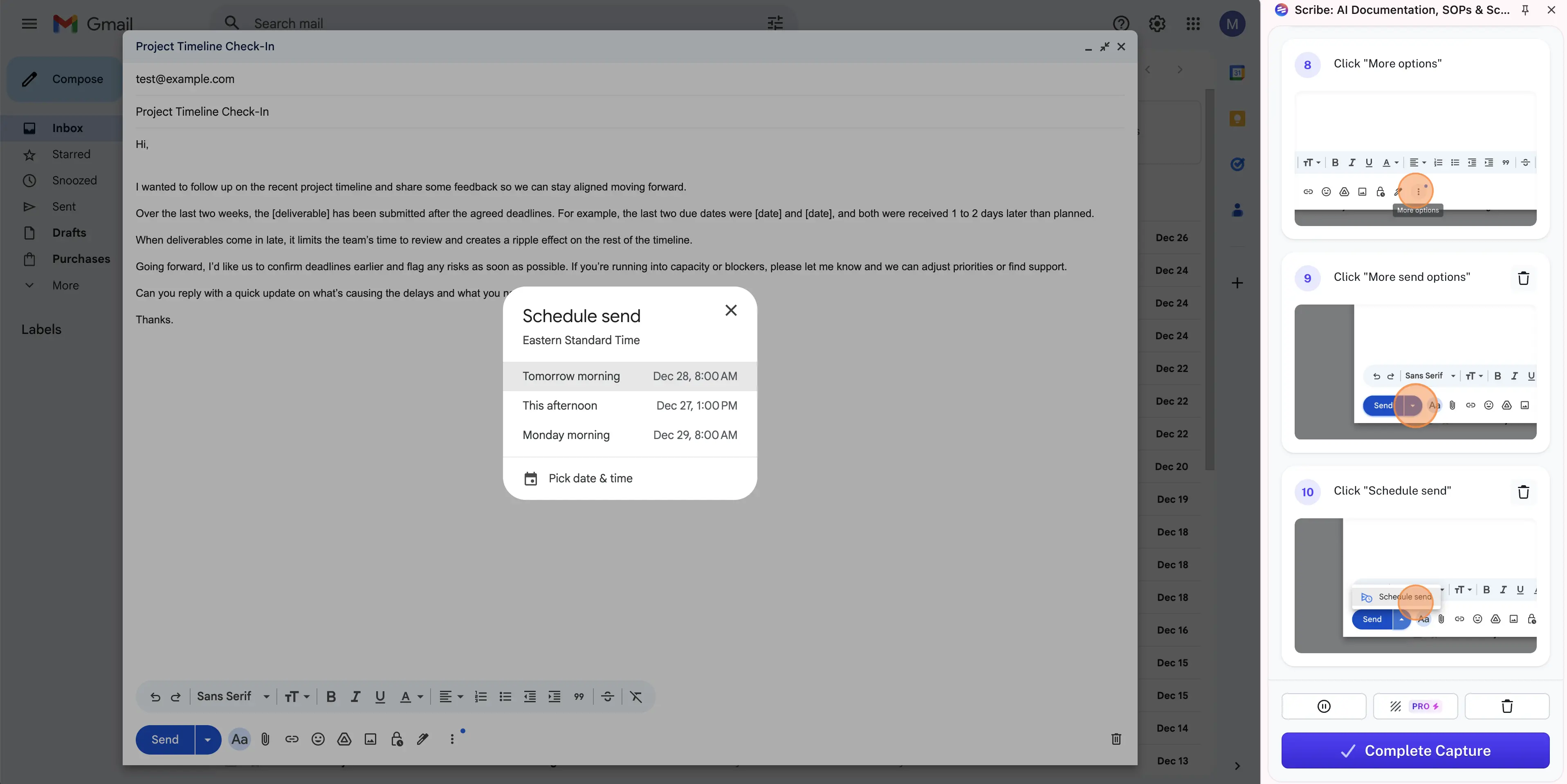
Scribe records workflows and automatically turns them into clear step-by-step guides with screenshots. It’s built for performance support rather than formal instruction, helping teams document repeatable tasks quickly and consistently.
It works best for procedural guidance and just-in-time support and fits well alongside courses or videos rather than replacing them.
5. Hyperbound
L&D use case: Practicing workplace conversations.
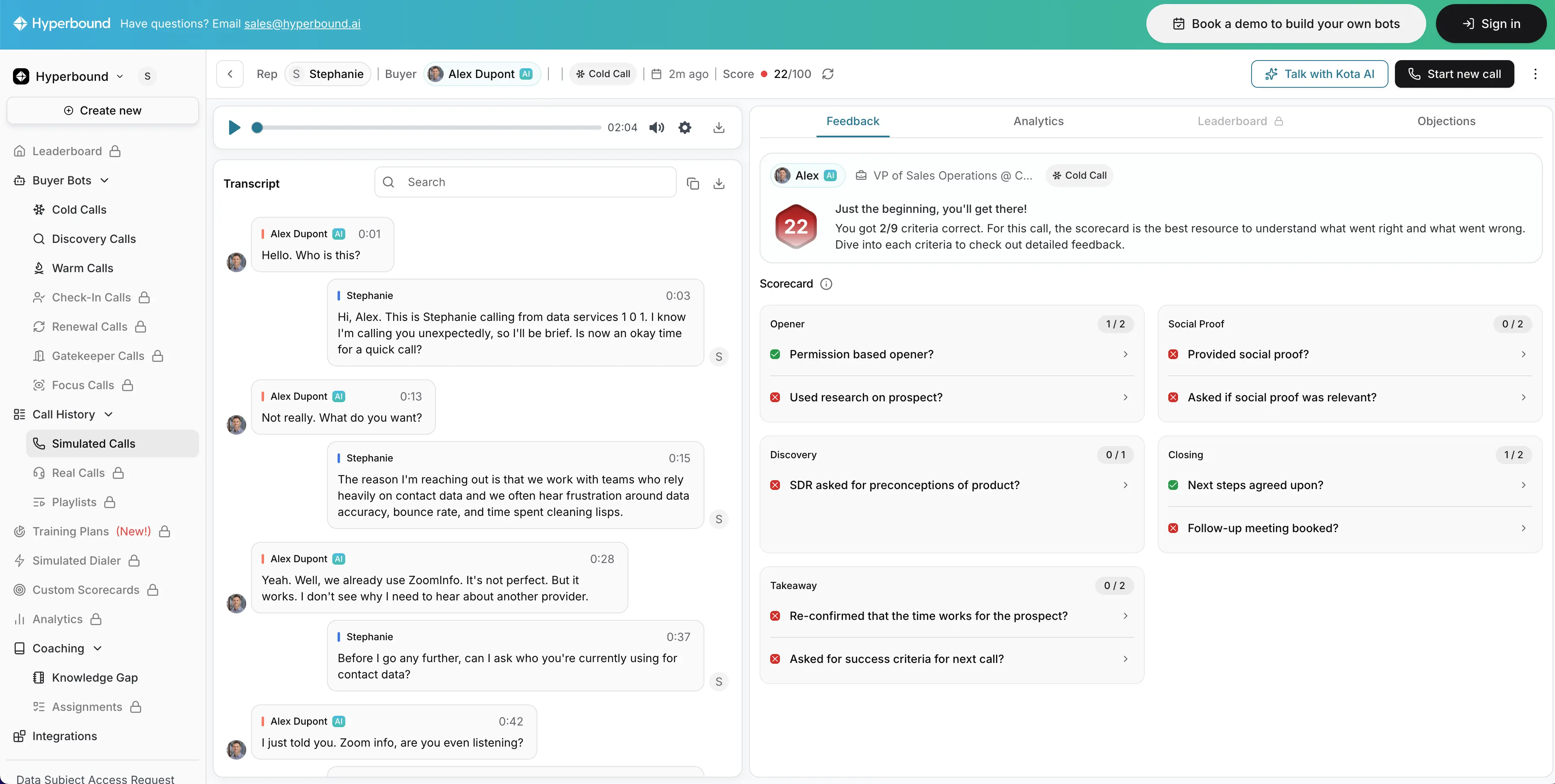
Hyperbound uses AI roleplay to help learners practice real-world conversations through interactive scenarios. The experience adapts to responses, making practice feel realistic and reflective of real workplace interactions.
It’s most effective for reinforcing skills after learners understand the basics and is less suited for teaching foundational concepts from scratch.
6. Second Nature
L&D use case: Practicing sales conversations.
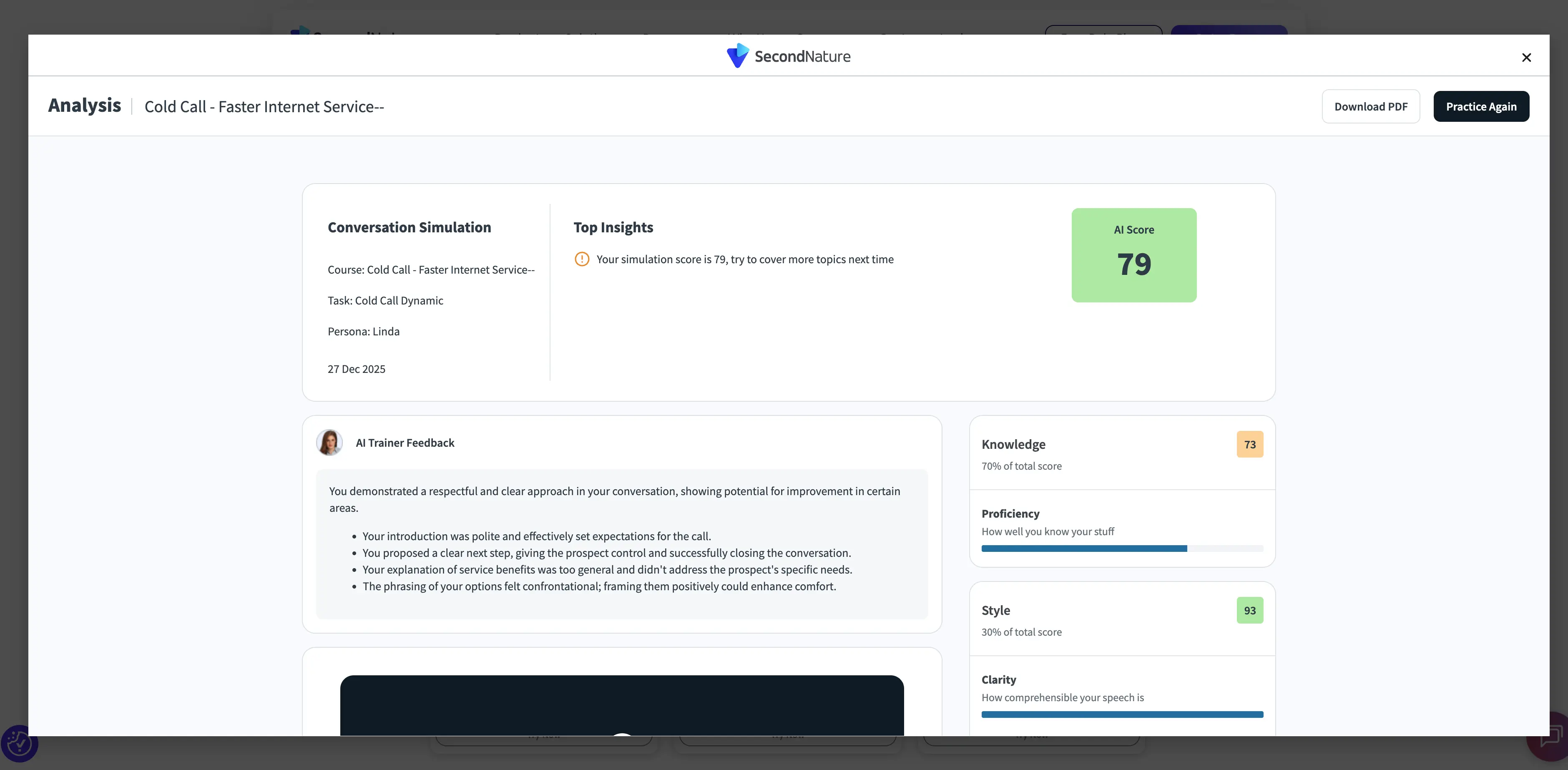
Second Nature delivers structured conversational roleplay designed for sales and customer-facing roles. Simulations are paired with automated feedback that helps learners refine tone, messaging, and objection handling.
It’s strongest for consistent coaching and reinforcement at scale and less suited to open-ended exploration or non-sales use cases.
7. ElevenLabs
L&D use case: Creating voiceovers for training.
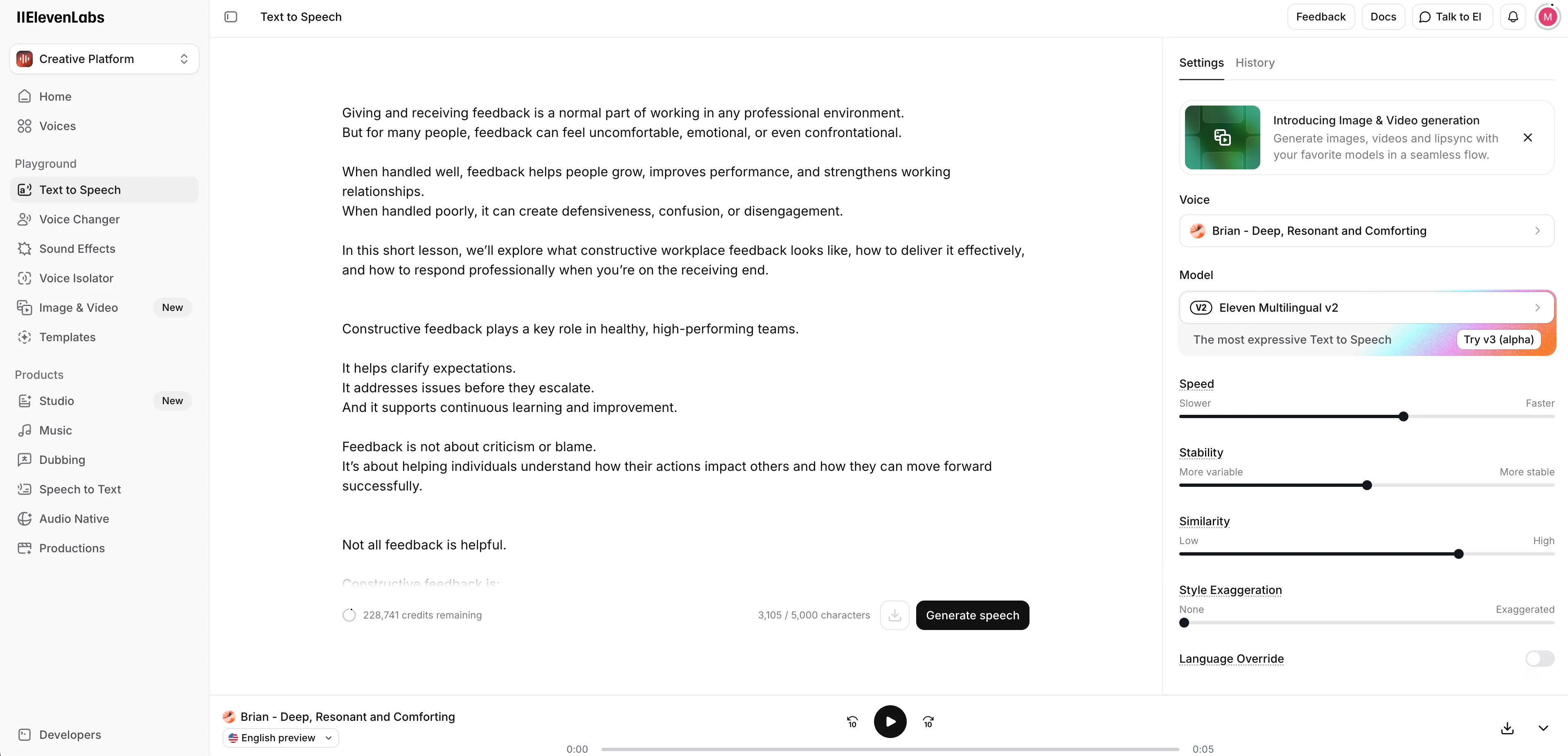
ElevenLabs generates natural-sounding AI narration quickly across multiple languages and accents. It’s especially useful for video, slide-based learning, and updates where re-recording voiceover would slow production.
Because it focuses only on audio, it doesn’t handle visuals, course design, or interactivity—but it integrates easily into broader L&D workflows.
8. Descript
L&D use case: Editing training videos quickly.
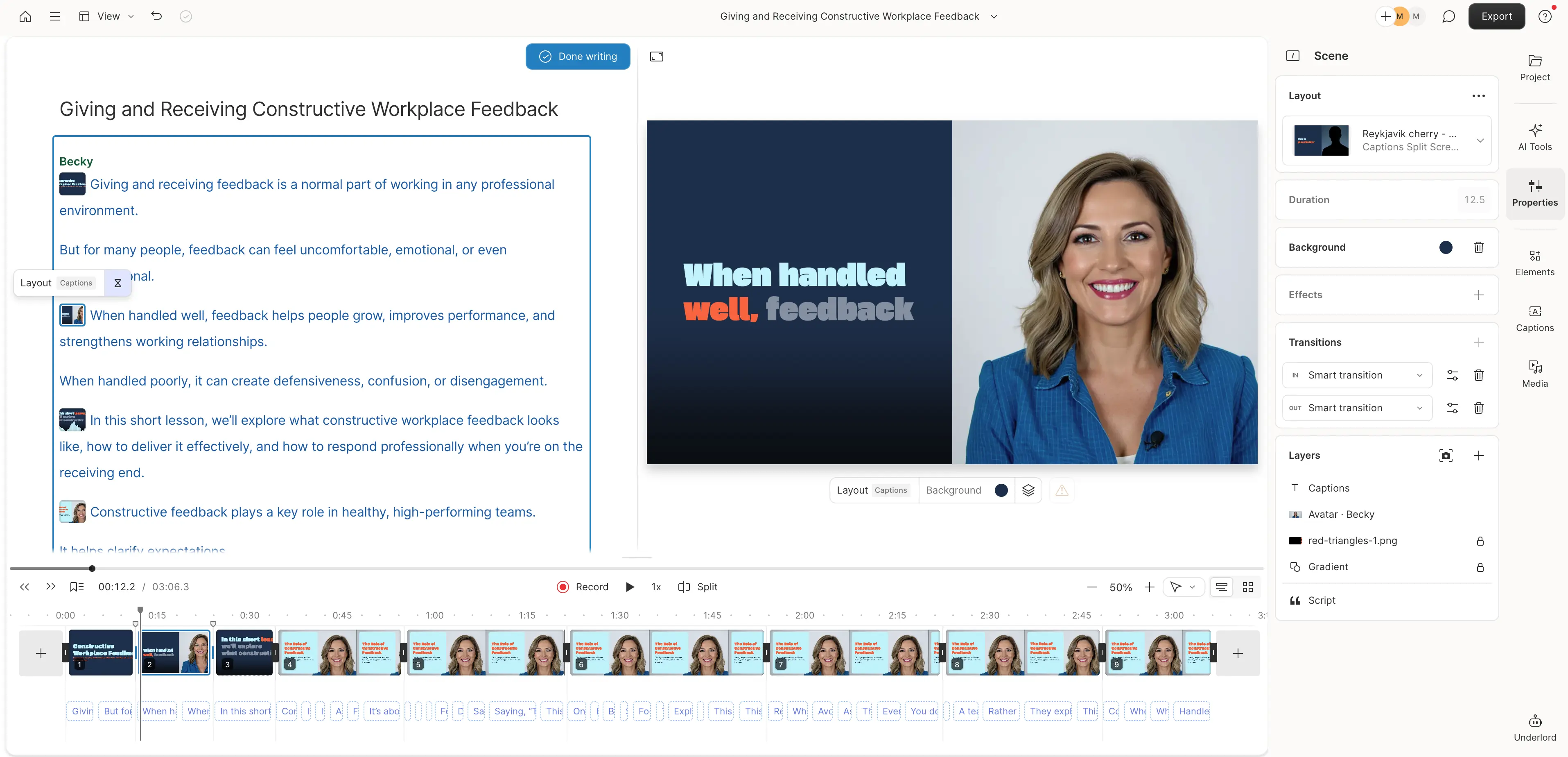
Descript is an AI audio and video editing platform that lets teams edit media by editing text. Its transcription-based workflow makes it easy to remove filler words, adjust pacing, and update narration efficiently.
It works best for refining and iterating on existing training content rather than generating courses from scratch.
How do you choose AI tools that support your L&D workflows?
Most L&D teams rely on a small stack of tools across the learning lifecycle. A good starting point is mapping what you already have access to, including systems like an LMS, intranet, knowledge base, or an approved LLM.
Even if L&D doesn’t own a tool, it can still play a role in how training is designed, delivered, and reinforced.
From there, look for ways to configure those systems to better support practice, feedback, and reinforcement in day-to-day work. Once you’ve pushed what you already have, you can fill gaps deliberately with tools that strengthen specific parts of the workflow.
To make that mapping easier, here’s a quick view of common tool types, where they fit in the learning lifecycle, and the use cases they typically support.
Before you choose or add tools, use this checklist to confirm they fit your workflow, support governance, and make it easier to measure impact.
What are the benefits of using AI for L&D?
AI becomes valuable when it helps L&D teams maintain learning support across time, teams, and change cycles.
Outcomes depend on a mix of individual and contextual factors, which makes relevance, consistency, and follow-through as important as initial content creation.
The biggest benefits compound when teams use AI to keep learning assets current, localize and adapt content more easily, and reinforce expectations closer to real work. That combination makes it easier to maintain quality while increasing reach.
What are the challenges and risks of AI in L&D?
AI can accelerate output quickly, which makes quality management a first-order problem. Without clear standards and review processes, content can drift in accuracy, tone, and instructional quality across teams and regions.
As AI expands into guidance, feedback, and analytics, ownership and governance become even more important. Teams get better results when they define what AI supports, what remains human-led, and how updates are controlled so outdated content does not continue circulating.
Measurement is another pressure point. Activity metrics may improve quickly, while behavioral signals and performance indicators require deliberate definition and consistent tracking. When teams treat measurement as part of implementation, it becomes easier to separate efficiency gains from real learning impact.
How do you design training with AI for behavioral change?
Learning succeeds or fails in specific moments — how people open a sales call, handle an objection, or decide what to ask next. L&D teams already know these moments matter. What AI changes is how consistently those moments can be supported as work happens.
Consider a sales team that has rolled out training on running better discovery calls. Reps complete the training, pass knowledge checks, and can explain the recommended framework. But when managers listen to call recordings, they still hear wide variation in how calls are opened and how problems are explored.
The training is complete, yet the behavior hasn’t settled. At this point, outcome metrics don’t offer much clarity. The earliest signs of progress tend to show up in everyday behavior:
- Are reps practicing often enough? Are they practicing how to open a call, ask diagnostic questions, and respond to common scenarios more than once?
- Is feedback arriving close to the moment of action? Are reps getting input on how they handled a discovery question shortly after a call, or only later in pipeline reviews?
- Is learning showing up in daily work? Are managers starting to hear more consistent call openings, deeper problem exploration, and fewer feature-led pitches without prompting?
- Is behavior becoming more consistent at scale? Are reps practicing the same core discovery behaviors and receiving comparable guidance across teams or regions?
These signals tend to change before traditional KPIs do. When they move, it’s a strong sign that learning is translating into behavior change.
What does the future of AI in L&D look like?
AI has already made training easier to produce.
The near-term future is about making learning easier to sustain through support that is more continuous, more contextual, and easier to adapt.
Research on learning in the flow of work reinforces a shift toward just-in-time microlearning that is integrated with work and designed around real needs and constraints.
Over time, I think teams that win with AI will move from being content factories to becoming operators of a learning system: modular assets that are easy to update and localize, reinforcement delivered near the moment of need, and measurement that surfaces early behavioral signals before lagging KPIs move.
As AI expands into guidance and feedback, I see governance and ownership becoming even more important, with human judgment setting standards, evaluating performance, and deciding when to intervene.

Kevin Alster is a Strategic Advisor at Synthesia, helping enterprises apply generative AI to learning, communication, and performance. With over a decade in education and media, he’s built programs for General Assembly, NYT School, and Sotheby’s.



Frequently asked questions
How is AI used in training and development today?
Most AI use in L&D is concentrated in content design and development. Common use cases include voice generation, content and quiz drafting, video creation, and translation and localization.
How do you use AI in training to improve learning outcomes?
Use AI to support the moments that drive behavior at work. Focus on helping learners practice key actions, get feedback closer to the moment of performance, and reinforce expectations over time.
Does AI improve employee training results?
AI can contribute to better results when it helps teams sustain practice, feedback, and reinforcement consistently across learners. Outcomes improve when training support shows up in day-to-day work, not only in course completion.
How can you tell if AI in training is working?
Look for early behavioral signals before performance metrics move. Examples include more frequent practice, faster feedback loops, clearer application on the job, and more consistent standards across teams or regions.
What AI tools are useful for training and development teams?
Many teams use a small stack across the workflow. This often includes an AI-enabled LMS or LXP, LLMs such as ChatGPT or Claude for drafting and iteration, and video tools such as Synthesia for consistent delivery and localization.


